
Edit Word documents with your AI agent (.docx)
Format paragraphs, adjust the page layout, and add comments in a Word document. Revise a single passage and check it in the context of the full page.
Paragraphs, page layout, and review
- Format headings, paragraphs, and lists
- Apply heading styles, set paragraph spacing, and format numbered or bulleted lists.
- Set page size and margins
- Set page dimensions, margins, and the text area to give formal documents a consistent layout.
- Wrap text around pictures and shapes
- Add images, shapes, and equations, and control how text flows around them.
- Add a comment to selected text
- Select a passage and add a comment beside it, keeping feedback connected to the text.
- Format a table in Word
- Organize information with rows, columns, merged cells, and table borders.
- Navigate a long document
- Organize longer documents with headings, a table of contents, page numbers, bookmarks, and footnotes.
- Rewrite a selected passage
- Select a heading or passage, describe the change, and review the suggestion in context.
- Start with source material and a template
- Attach source material, choose a document template, and add your brief to start shaping the document.
Revise a single paragraph in Word
Change a delivery date in a scope of work while keeping the review deadline and the surrounding clauses intact.
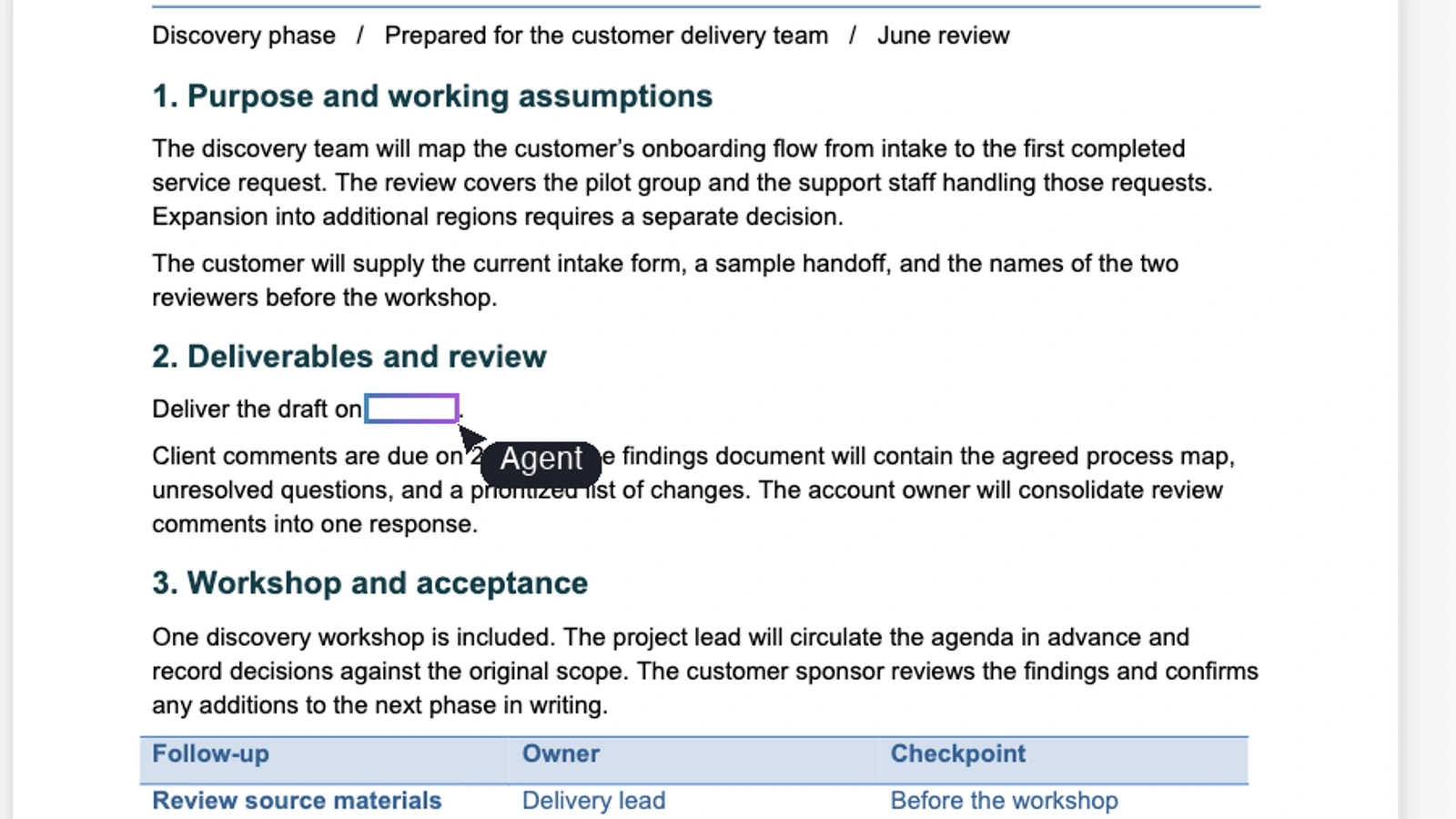
Check the headings on either side, paragraph numbering, and body style. To deliver a separate revision, use Save As and reopen it from its destination folder.