
Check a formula across worksheets
After changing an input, trace the summary value back to the cells it uses.
Steps
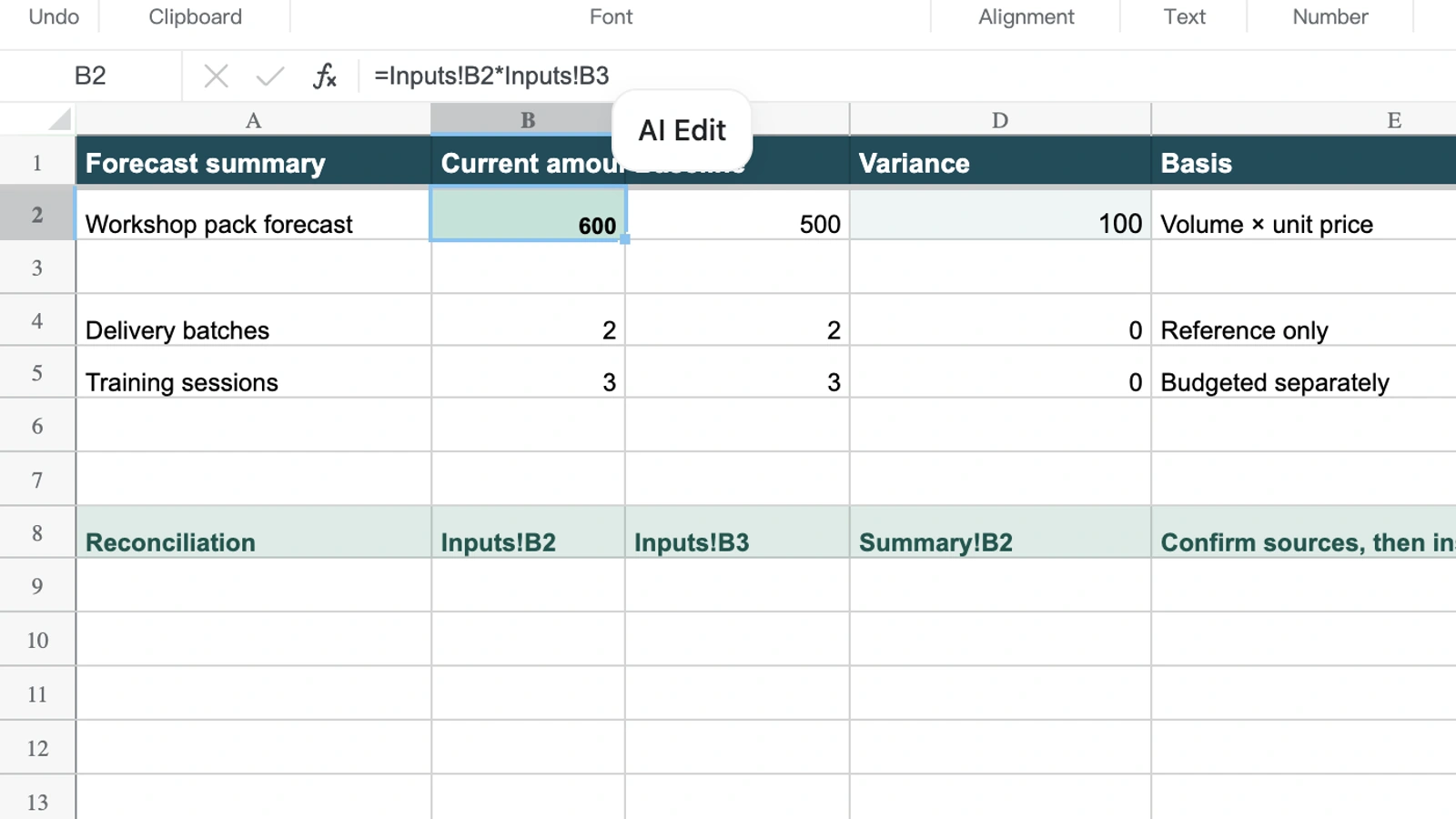
- Select the total on the summary worksheet. In the formula bar, check which worksheets and cells the formula references.
- Select Inputs!B2 in the sample workbook and choose AI Edit. Ask your agent to change the quantity from 100 to 120 and keep the units and number format. Check the cell reference before sending. If prompted to review the edit, check the value and choose Apply.
- Return to Summary!B2. At 120 units and a unit price of 5, the expected total is 600. Check the value, then confirm that the formula bar still references Inputs!B2 and Inputs!B3.
Check your result
Check the neighboring periods and total row. Keep the copy in XLSX format so the next person can inspect its formulas.
Work through the formula example